No uploads
Recognition runs locally with FunASR Paraformer. Your voice, drafts, and surrounding text never need to leave the device.
VocoType-linux turns push-to-talk into system-wide Chinese input—offline, CPU-only, and native to macOS InputMethodKit, IBus, and Fcitx 5.
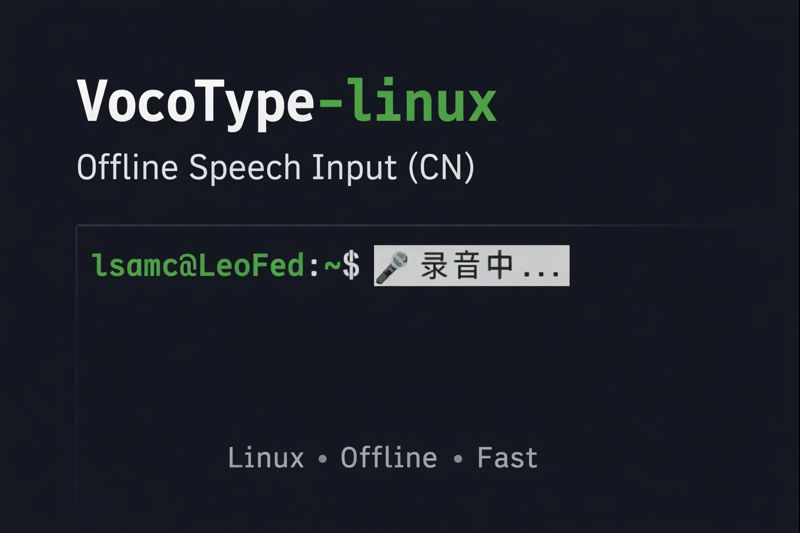
Audio and text stay on your machine.
Fast commit after speech recognition.
Peak ASR memory; no discrete GPU required.
Native IBus and Fcitx 5 integrations.
The desktop should listen locally
Most voice typing tools are web services wrapped in a microphone button. VocoType-linux is a native desktop input tool: it listens, transcribes, and commits text through the platform input stack.
Recognition runs locally with FunASR Paraformer. Your voice, drafts, and surrounding text never need to leave the device.
Chat windows, editors, browsers, terminals, and AI tools receive text through the native platform input stack.
Designed for everyday Linux and Apple Silicon desktops and laptops, with CPU inference and no dedicated GPU requirement.
What’s new
The v5.0.1 patch hardens microphone device resolution and keeps transient macOS development apps out of Spotlight.
Saved stale audio-device indices can no longer hijack the resolved microphone, and transient macOS build apps stay out of Spotlight search results.
Open the release →Inspect runtime and installation health, compare versions, exercise the pipeline, and submit a privacy-safe support bundle through the official feedback flow.
Read the update →Use the same Ctrl+F9 commands to replace, insert, delete, navigate, rewrite, undo, and redo in supported applications.
Read the update →Optionally update a mutable preedit while speaking, then commit the final result from the complete offline recognition pipeline.
Read the update →A bounded local pipeline
Each stage has a clear responsibility. Optional language-model polishing is downstream of speech recognition and can be disabled entirely.
Press F9 while speaking. Release it when the utterance is complete.
Local audio capture and voice-activity detection isolate the speech segment.
FunASR Paraformer transcribes Chinese and mixed Chinese–English speech on CPU.
InputMethodKit, IBus, or Fcitx 5 inserts the final text into the focused application.
Three interaction modes
Use raw dictation for speed, optional SLM polishing for long-form writing, or voice commands to edit existing text.
The shortest path from speech to text. No language-model post-processing and minimal latency.
ASR ONLYOptionally routes longer utterances through a local or OpenAI-compatible SLM endpoint for punctuation and cleanup.
OPTIONAL SLMOn IBus or Fcitx 5, commands can replace, insert, delete, navigate, rewrite, undo, and redo using the active field’s surrounding text.
MACOS + IBUS + FCITX 5Real desktop workflow
The demo shows VocoType operating inside ordinary desktop applications rather than a dedicated transcription window.
From the community
Comments from the public VocoType Linux discussion on Linux.do, translated from Chinese where needed.
“This is exactly the pain point Linux has been missing: an open-source voice input method.
“I had wanted to build this for a long time but never got it off the ground—then found you had already made it.
“It feels genuinely comfortable in daily use. Aside from WeChat, every other scenario has worked very well.
Desktop integration
The two front ends share the same recognition core while integrating with their native input-method protocols.
For Apple Silicon Macs running macOS 13 or newer.
Best suited to GNOME and distributions where IBus is the default input framework.
Designed for KDE and users who prefer the modular Fcitx 5 ecosystem.
Native release assets
Native packages add the application and system integration. The settings center downloads and verifies models, configures audio, and installs or repairs IBus and Fcitx 5.
# Debian / Ubuntu
sudo apt install ./vocotype-linux_*.deb

# Fedora / RHEL
sudo dnf install ./vocotype-linux-*.rpm

# Arch Linux
sudo pacman -U ./vocotype-linux-*.pkg.tar.zst
Download from GitHub Releases →
$ git clone https://github.com/LeonardNJU/VocoType-linux.git
$ cd VocoType-linux
$ bash scripts/install/fcitx5/install.sh --install-system-deps --download-models
Open the installation guide →
macOS 13+ on Apple Silicon or mainstream Linux · 4 GB RAM minimum · CPU-only inference · no Python runtime